The plumbing that carries your audio — watched.
AoIP, codecs and STLs all ride on the same switches, routers and firewalls. When that layer hiccups, you're off-air with green lights on every transmitter. BNM watches the network itself — 25+ drivers for the gear that actually moves your audio between studio and tower.
When the network goes, everything goes — quietly.
A failed uplink, a flapping switch port, a firewall that dropped your AoIP VLAN — none of it shows up as a transmitter fault. The rig is happy; it just has nothing to transmit. BNM closes that gap by watching the path, not just the endpoints.
It speaks SNMP to the boxes you already run, tracks the links that matter, and alarms the same way a dead transmitter would — including a phone call, so a 2 a.m. fiber cut reaches you before the listeners do.
From the rack switch to the WAN.
- ✓WAN/uplink up-down with automatic failover visibility
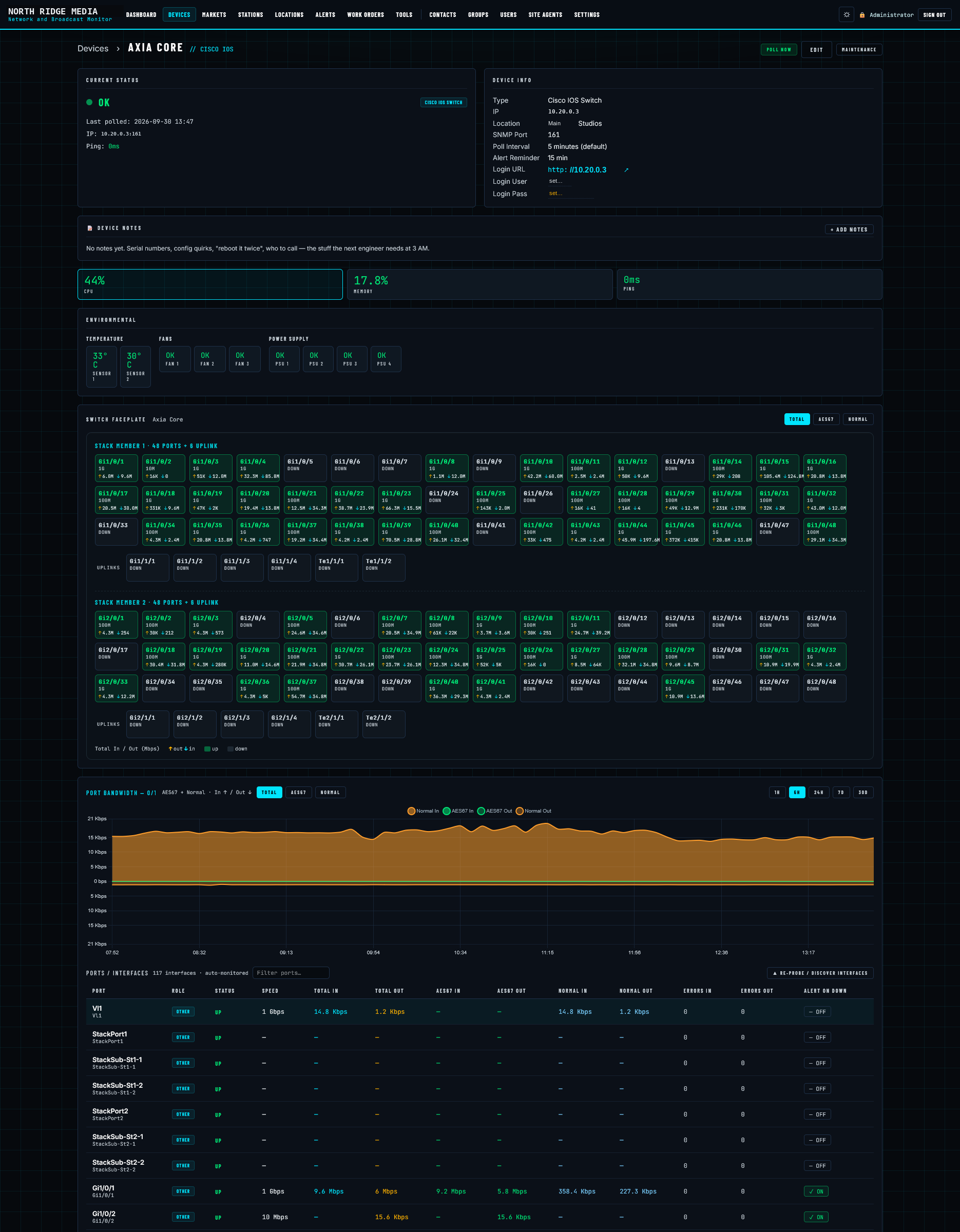
- ✓Per-interface status — know which port dropped, not just "something"
- ✓Throughput, sessions, latency and packet loss trended over time
- ✓Site UPS and power state alongside the gear it protects
The signals that mean your audio path is healthy.
Not just "is it pingable" — the things that tell you traffic is actually flowing.
WAN & uplinks
Primary and failover circuits, link state and whether you've quietly fallen over to LTE.
Throughput & sessions
Bandwidth and session counts trended, so a saturating link shows itself before it chokes audio.
Latency & loss
Round-trip and packet loss on the paths your codecs and AoIP depend on.
Interface up/down
Per-port state across switches and routers — pinpoint the exact link that dropped.
UPS & power
Battery state, load and on-line/on-battery status for the UPS feeding the rack.
Device health
CPU, temperature, uptime and reboots — catch a box about to fall over early.
The alerts you actually get for network gear.
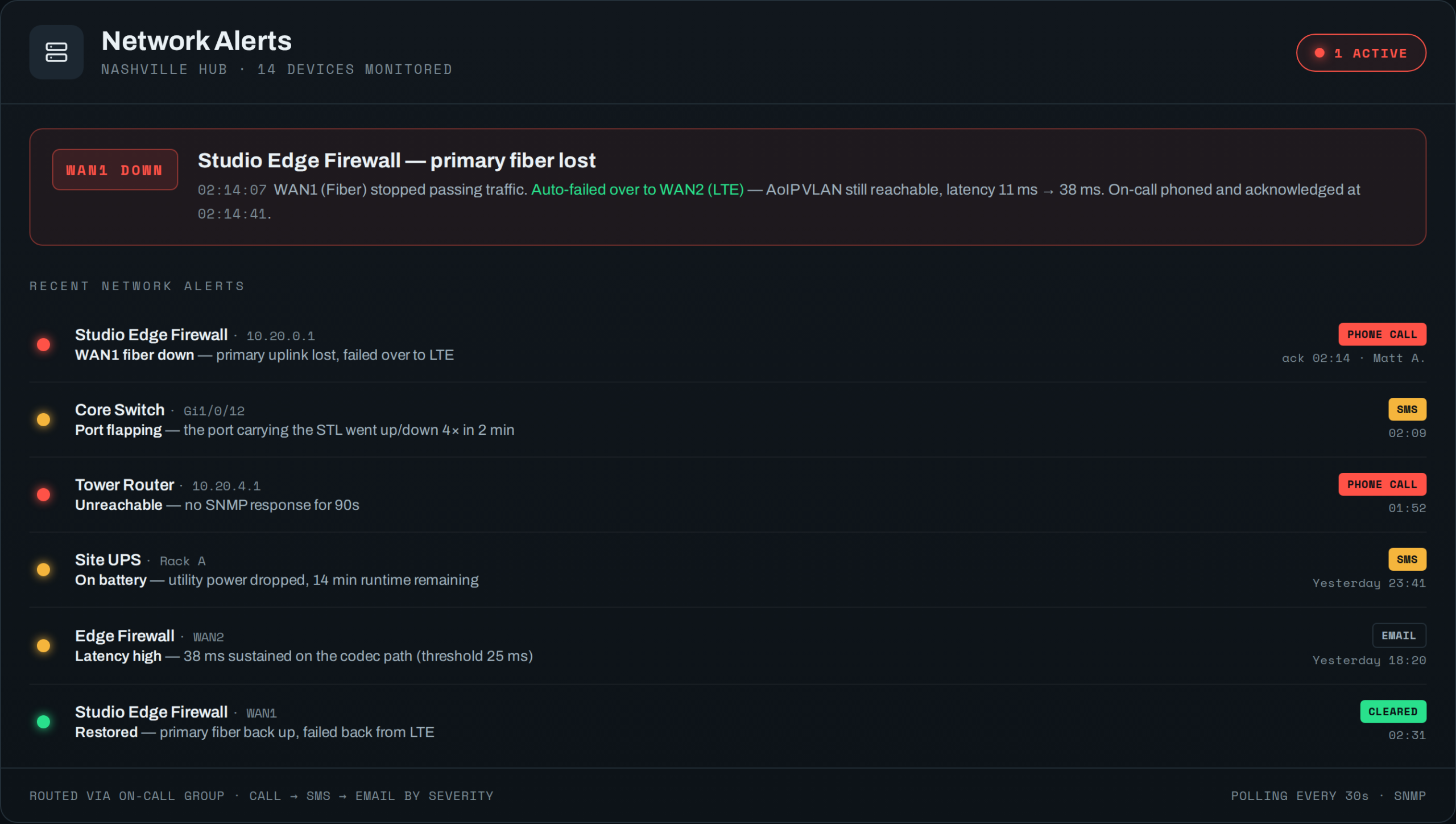
BNM only pages you when the network does something that threatens air — and it routes by severity through the same on-call list, answering-machine detection and escalation as a dead transmitter. A 2 a.m. fiber cut rings your phone; a latency creep just emails you.
Loud for outages, quiet for trends.
Every alert is tiered so the phone only rings when it should — and a restored link clears itself. You set the thresholds and the on-call list per device or group.
- !Phone call — uplink or circuit down, a device unreachable, anything that takes you off-air
- !SMS — failed over to LTE, a switch port flapping, the UPS on battery
- ✓Email — latency or packet loss trending up, a threshold getting close
- ✓Auto-clear — restores log themselves the moment the link comes back
Watch the path, not just the endpoints.
We'll point a demo at your edge and core, trend a few links, and wire a test dial-out so you see a real network alert before you need one.
Your audio doesn't share a counter with everything else.
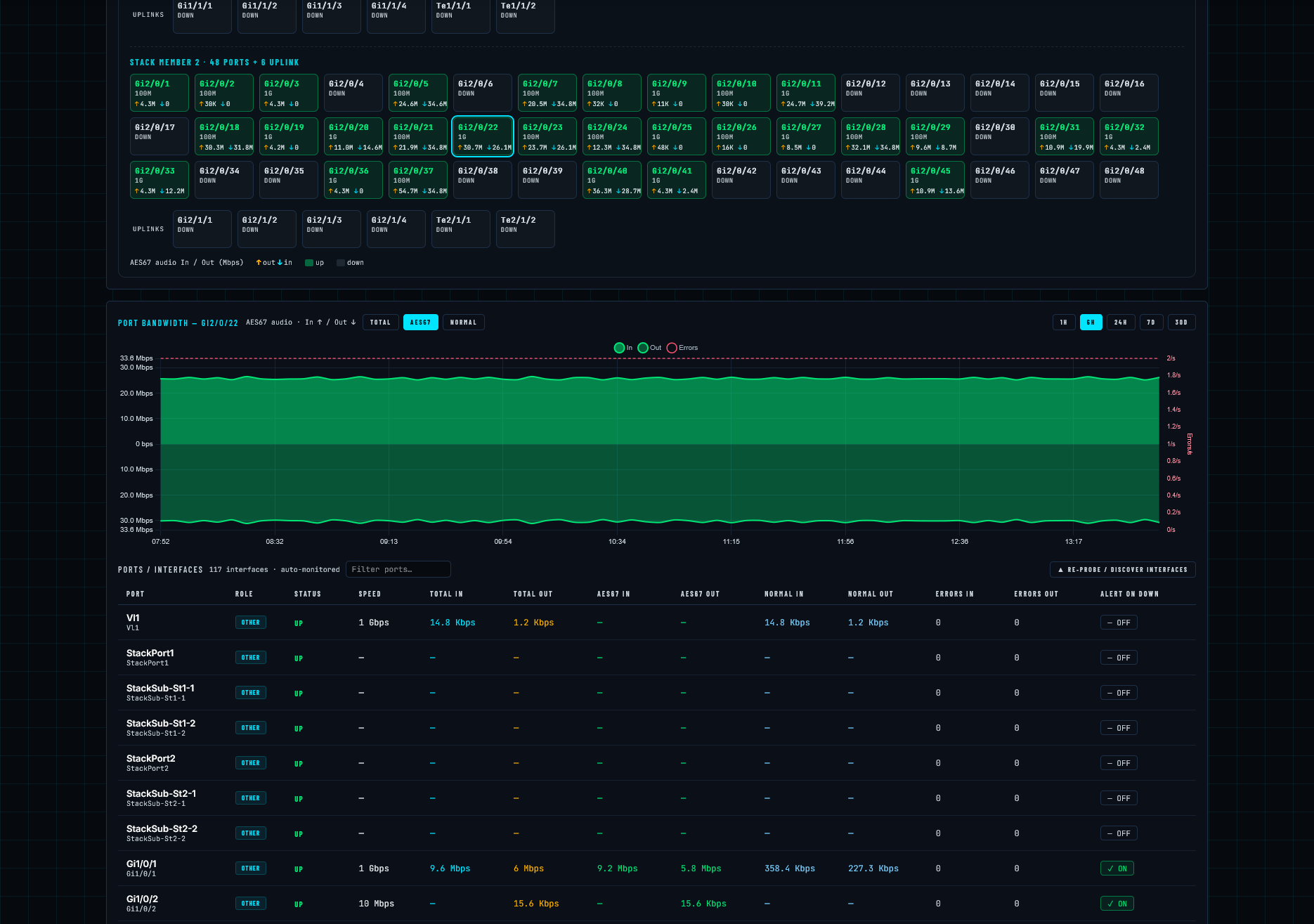
On a broadcast switch, most of the traffic is the plant — automation, file transfers, somebody's backup at 2 a.m. Buried in it is the part that's actually on the air: the AES67 and Livewire streams between studios, consoles and nodes. BNM counts those separately, per port, so an audio path that's starving shows up as an audio path, not a rounding error in the total.
Everything on the port
In, out, errors — the number any monitor gives you.
Only the audio
The multicast audio streams on their own graph: flat and steady when a stream is up, gone when it isn't.
Everything that isn't audio
What the plant is doing to your switch — and whether it's crowding the streams.