Everything the night engineer kept in a binder. On the screen at 3 a.m.
The gate code. The firewall login. Which fork to take. What's on the tower and how high. BNM keeps it at the site it belongs to, one click from the alert that woke you up.
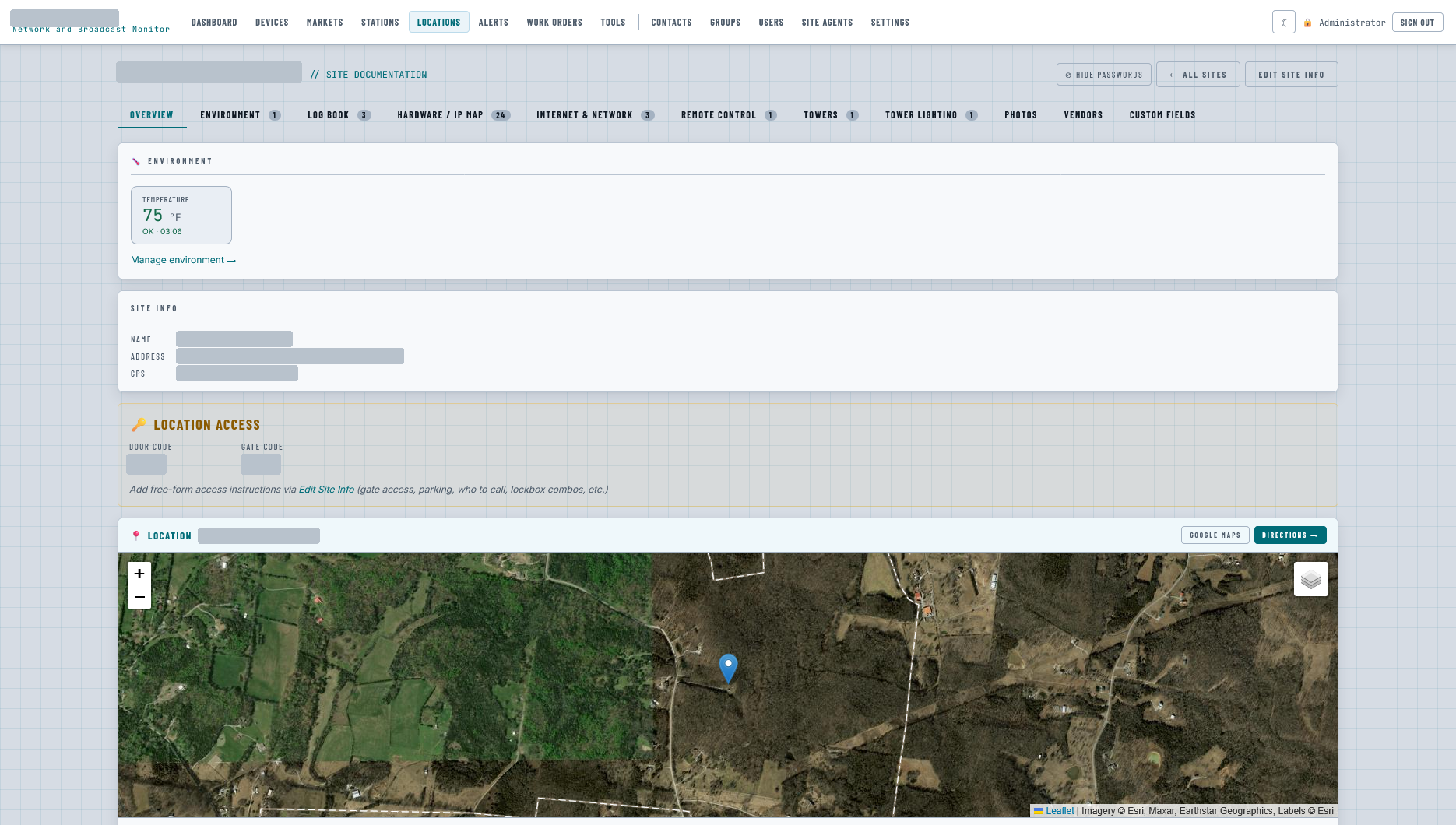
The alert says what broke. The site page says how to get in.
Every station already has this information — in a spreadsheet, a text thread from 2019, a sticky note on the rack, and the head of the engineer who retired. At 3 a.m. none of those answer the phone.
A location in BNM is a studio, a transmitter site, a translator on a hill, a rented rack. Each gets the same page, and every device you already monitor there is on it.
- Overview
- Environment
- Log book
- Hardware / IP map
- Internet & network
- Remote control
- Towers
- Tower lighting
- Photos
- Vendors
- Custom fields
- Work orders
Codes, maps, logins, towers. Behind Hide Passwords until you need them.
Access & maps
Door code and gate code on the overview. Under them, the free-form part: who to call, where the lockbox is, what the road does after a week of rain.
- ✓A pin on a satellite map with one-tap Google Maps and Directions.
- ✓Draw the route in from the county road; drop a numbered note on the gate, the key box, the hazard.
- ✓Written directions saved with the drawing, in one save.
Hardware & network
Every IP at the site — monitored, documented, or inventory with no address at all — with make, serial, what it's for, login and URL. One click turns a documented box into a monitored one.
- ✓ISPs with usable IP, subnet, gateway, DNS, account and contact. WiFi keys. Port forwards.
- ✓Config backups — firewall, switch, licence file — up to 32 MB, streamed through BNM so nothing is reachable by guessing a URL.
- ✓Import from a spreadsheet template; export CSV.
Towers & lighting
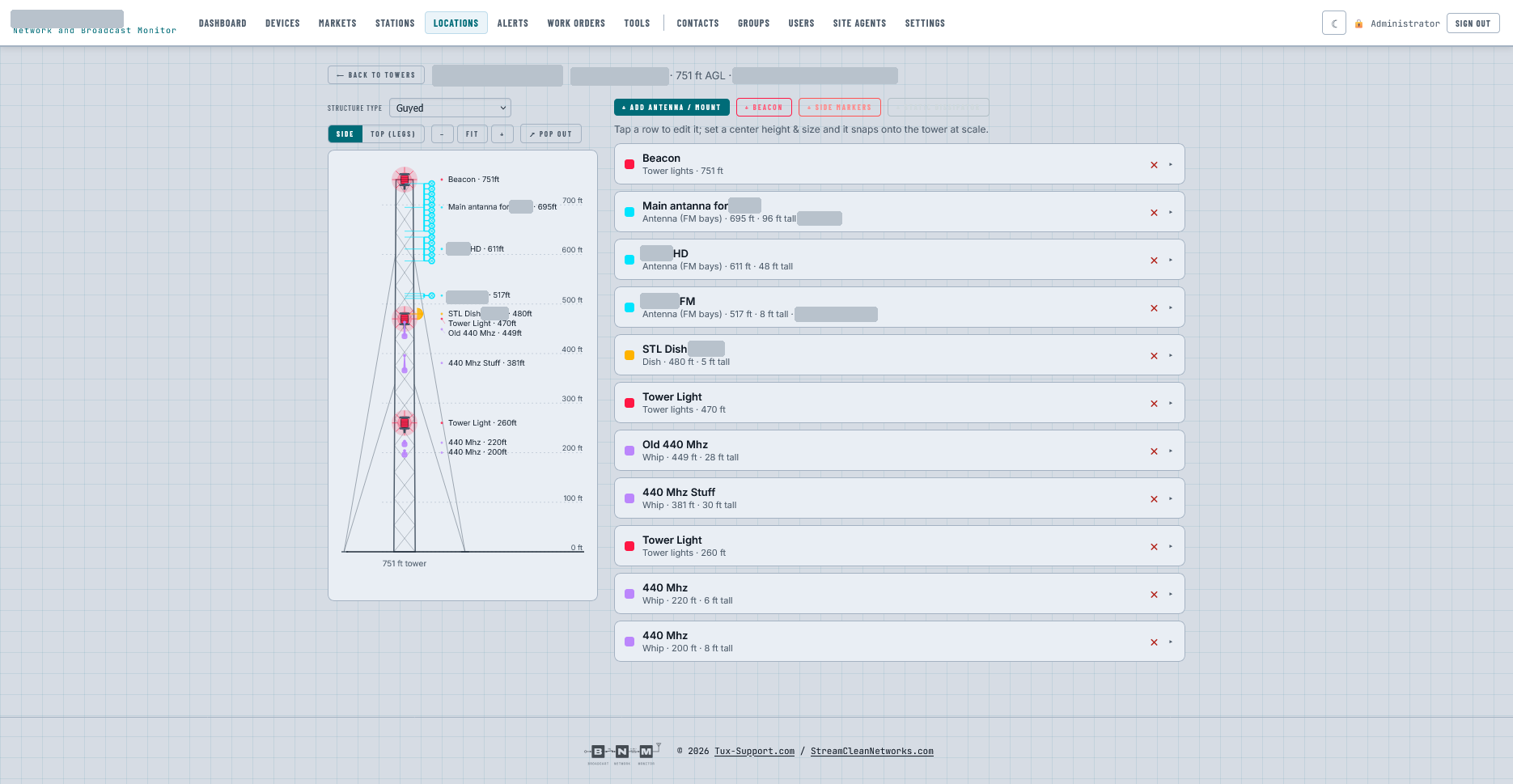
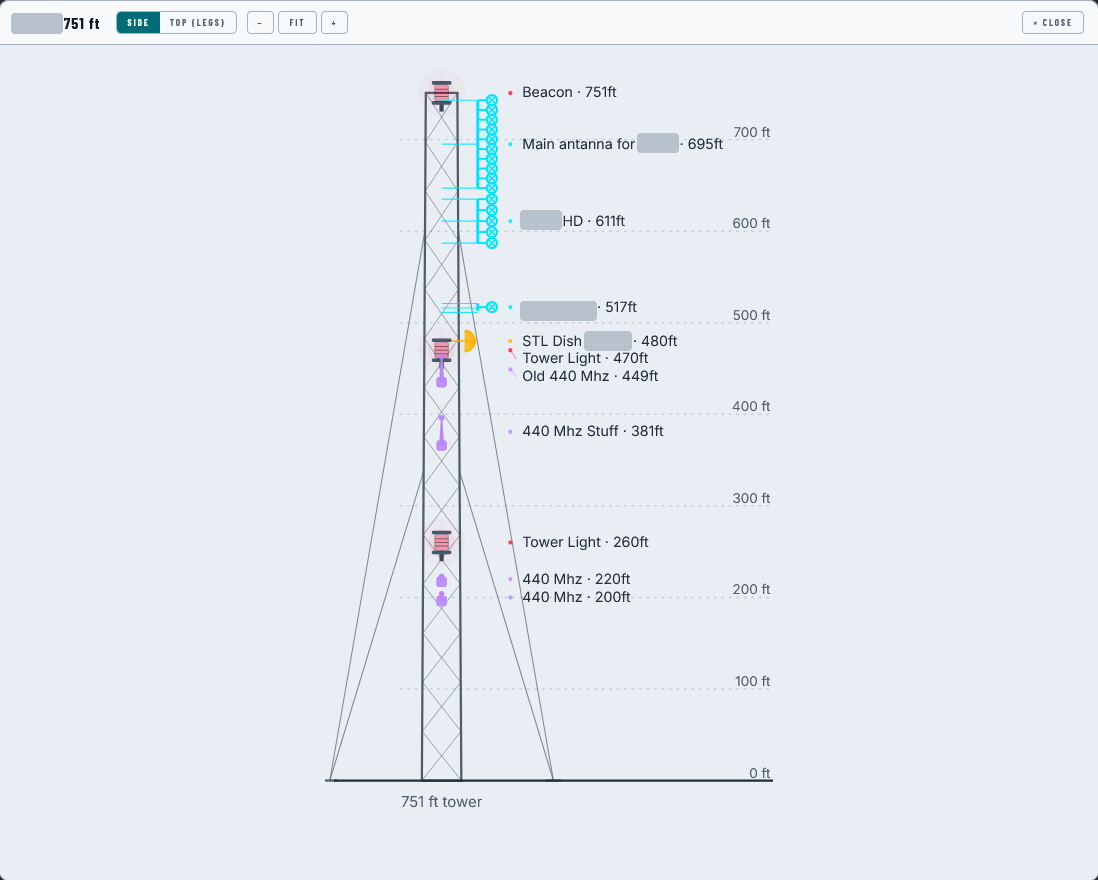
Each structure drawn to scale: give an antenna, dish, whip or light a centre height and a size and it snaps onto the tower. Side view, top view, pop-out for the crew on a tablet.
- ✓One button pulls the Part 17 lighting spec from the FCC ASR by registration number.
- ✓Light status from the remote control already wired to it; every transition logged, a dark tower dials out.
- ✓The §17.49 outage, inspection and repair log, and a printable owner record.
Environment & the rest
Temperature, humidity or any reading — by hand or from a remote-control channel — with low and high thresholds that alarm like everything else in BNM.
- ✓Log book, photos, vendors and custom fields, per site.
- ✓Quick-add work orders; the overview shows what's still open here.
- ✓At a glance: devices, subnets, ISPs, WiFi, port forwards, towers — the counts.
Put the binder on the same screen as the alarm.
Tell us how many sites you run and what's in the racks. We'll set up a demo pointed at your gear, document one of your transmitter sites with you, and wire a test call to your phone.
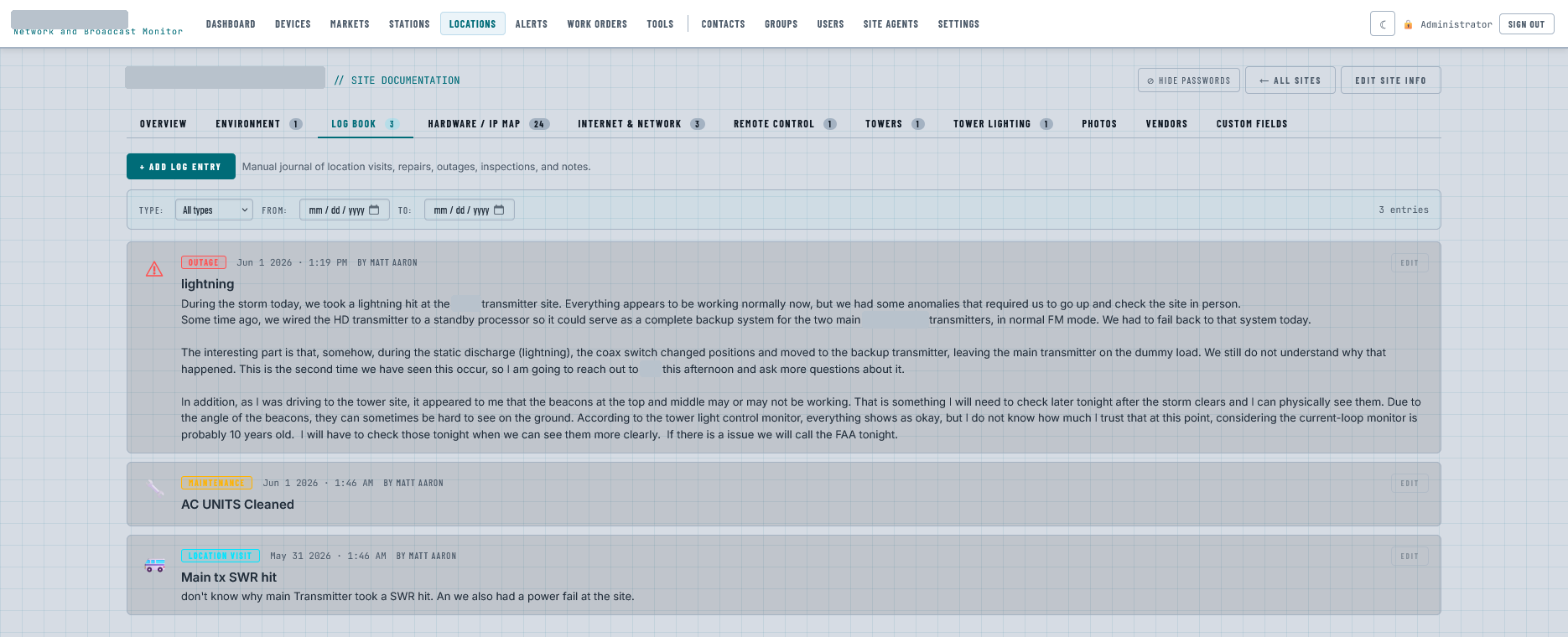
What happened at this site. Written by the person who was there.
Every location keeps a journal. Drove out after the storm? Write down what you found, what you changed and why, and what you still need to check tonight. Cleaned the air handlers? One line, dated, signed. Took an SWR hit and a power fail on the same day? Say so, so the next person sees the pattern.
Entries are typed — outage, maintenance, location visit, inspection, note — and filtered by type and date. The log stays with the site, next to its codes, its IPs and its tower, so the history isn't in a text thread or a head that's since retired.
The second time something happens, you want the first time written down.
A coax switch that moved by itself once is a curiosity. Twice, it's a pattern — and a log entry from June is the only reason anyone knows it's twice.