

The final processor, built in.
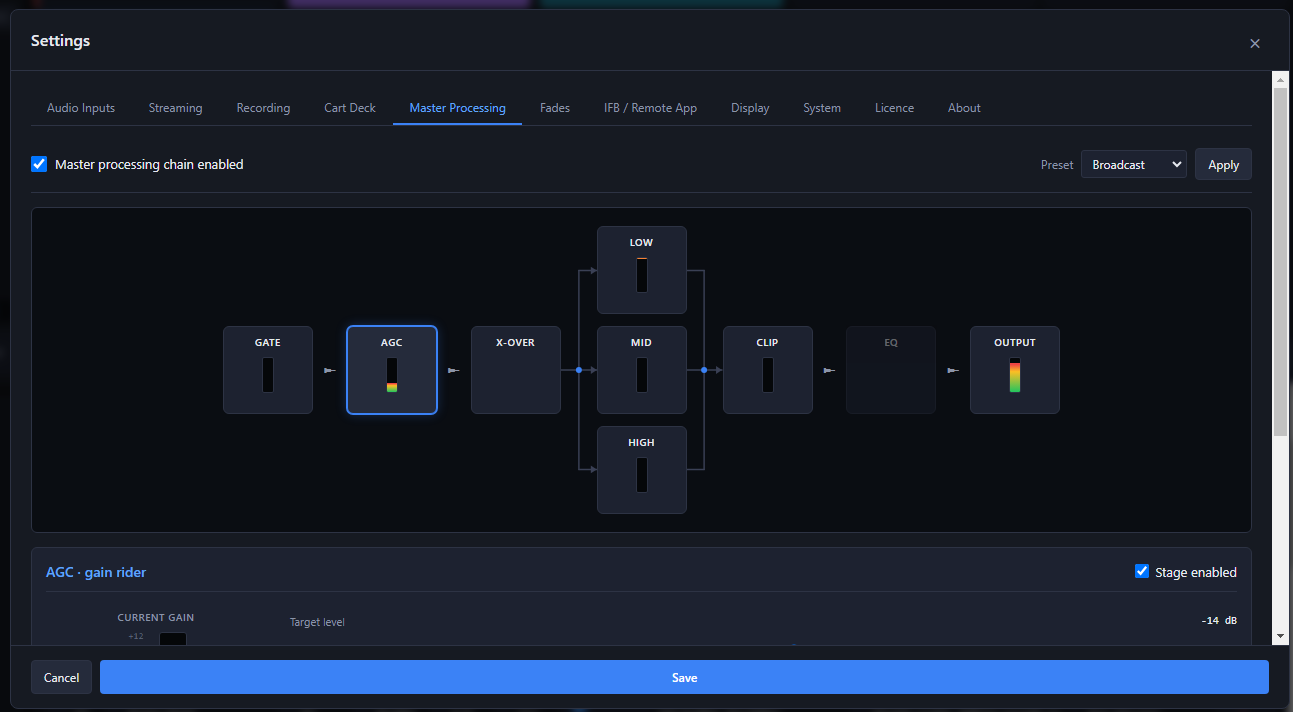
Everything you send out, the mics, the commercials and the bump music, goes through one master chain before it reaches the studio, the streams and the recording. It is a full broadcast processor: a gate, a gain rider, a crossover into three bands with their own compressors, a clipper, a final EQ and the output level.
- Presets set the whole chain in one step: Transparent, Broadcast, Aggressive or Bypass all. Pick one, press Apply, then fine-tune any stage.
- Every stage has its own live meter and can be switched in or out on its own.
- One tick turns the whole master chain on or off.
The master chain, in the order your broadcast goes through it. Click a stage to see what it does and its real controls.
Stage 1 of 9
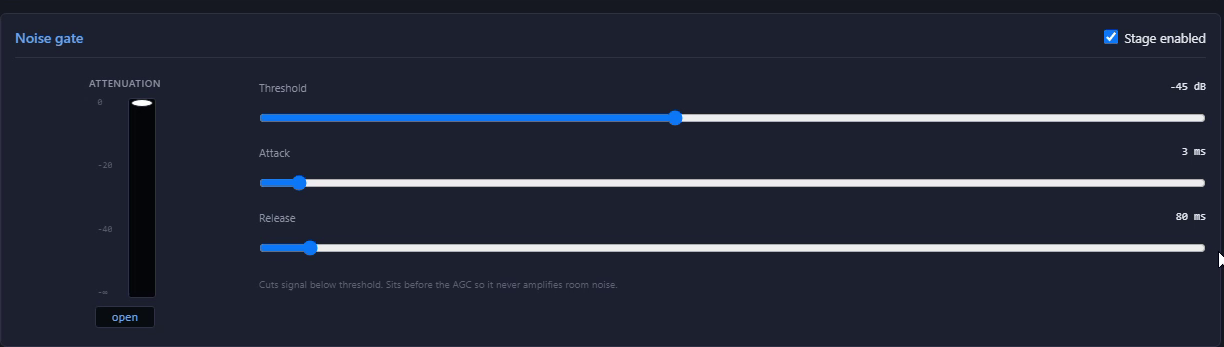
Noise gate
Shuts the program down between words, so room and crowd noise are not pumped up by everything after it. It sits ahead of the AGC, so the AGC never turns room noise up.
What you set
Threshold, attack and release, with an attenuation meter.
Stage 2 of 9
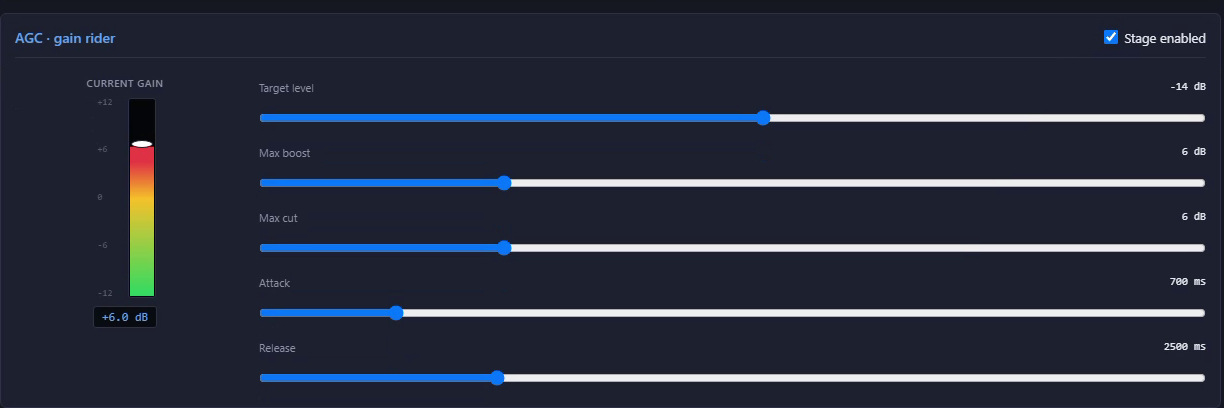
AGC, the gain rider
Rides the overall level slowly, like an engineer with a hand on the fader, so the broadcast stays at the same loudness from a quiet interview to a crowd going wild.
What you set
Target level, how far it may boost and cut, attack and release, with a current-gain meter.
Stage 3 of 9
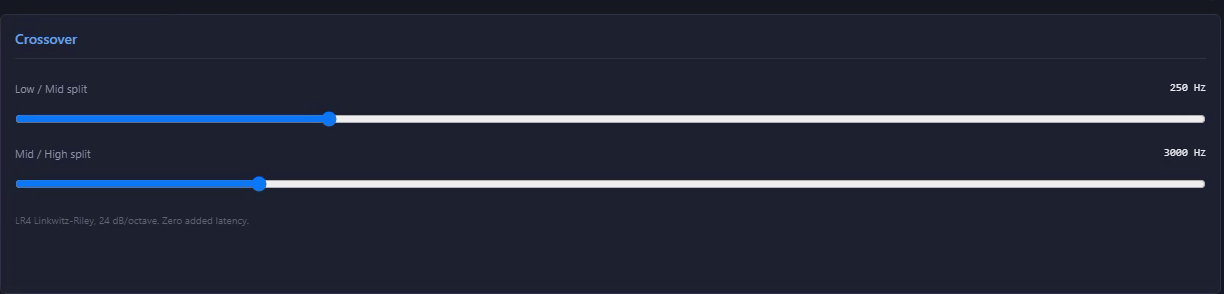
Crossover
Splits the program into low, mid and high bands so each one can be controlled on its own, then hands them to three compressors. The filters add no delay.
What you set
The two split points, low to mid and mid to high: 250 Hz and 3 kHz in the Broadcast preset.
Stage 4 of 9
Low band compressor
Keeps the bottom end, the boom in a voice and the bass in the bump music, tight and even, without it pushing the rest of the mix around.
What you set
Threshold, ratio, attack, release and makeup, with its own gain-reduction meter.

Stage 5 of 9
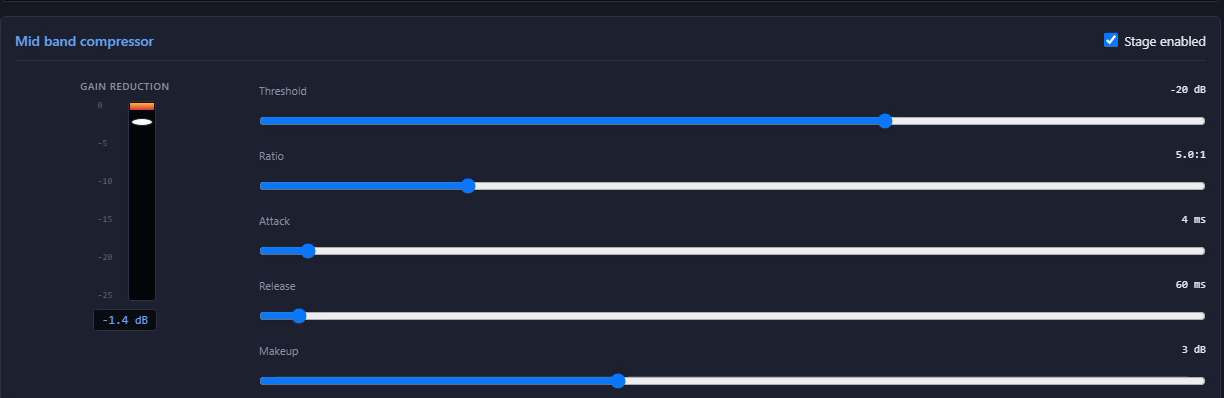
Mid band compressor
Holds the voice range steady, where most of the words live, so the announcers stay up front over the crowd and the music.
What you set
Threshold, ratio, attack, release and makeup, with its own gain-reduction meter.
Stage 6 of 9
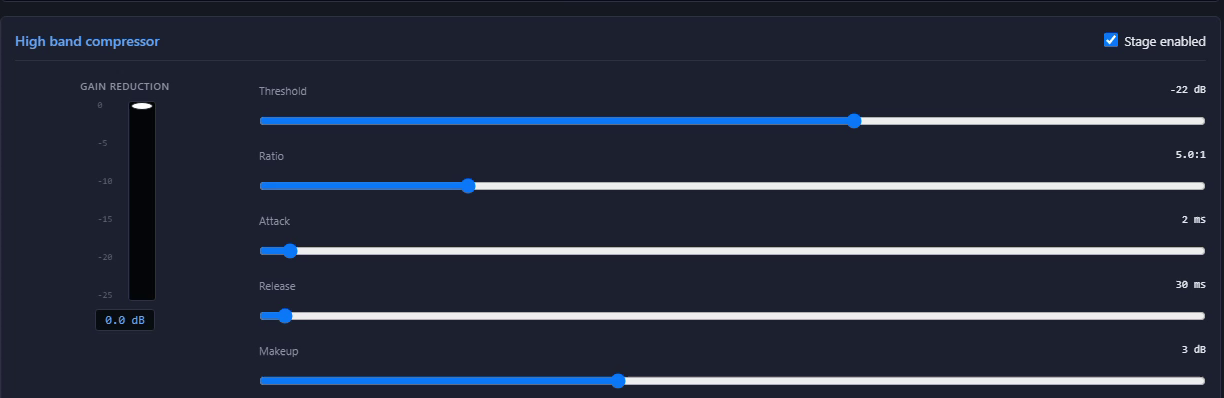
High band compressor
Controls the top end so the brightness stays even and never turns harsh when the crowd or the cymbals get loud.
What you set
Threshold, ratio, attack, release and makeup, with its own gain-reduction meter.
Stage 7 of 9
Hard clipper
A brick-wall ceiling that catches whatever peaks get past the compressors, so nothing ever goes over. Its activity meter shows how hard it is working.
What you set
The ceiling, with a clip-activity meter.

Stage 8 of 9
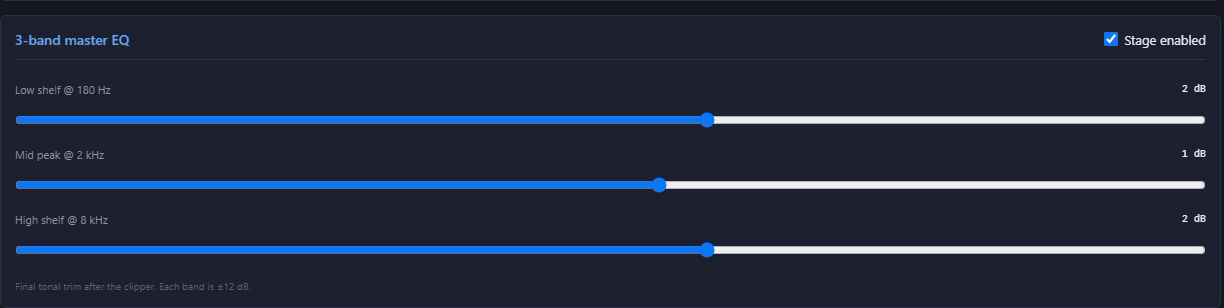
Master EQ
A final tone trim after the clipper: a low shelf at 180 Hz, a mid at 2 kHz and a high shelf at 8 kHz.
What you set
Three bands, each up or down 12 dB.
Stage 9 of 9
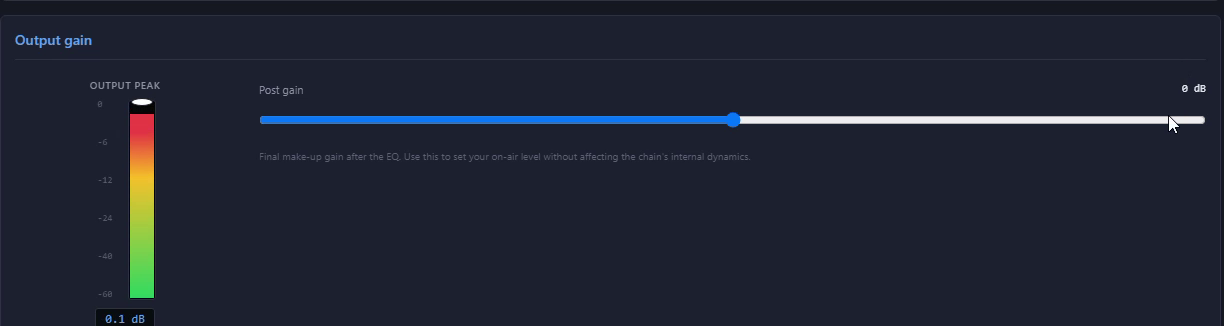
Output gain
Sets your on-air level without changing how the chain behaves inside. The output peak meter shows exactly what is leaving.
What you set
Post gain, with an output-peak meter.
 Enlarge
Click the picture to see it bigger.
SportsCaster Pro
$599
The whole remote kit on one PC, in two-channel and four-channel versions.
Requires a Behringer UMC or Focusrite Scarlett audio interface.See which models

SportsCaster Pro works with the interface through ASIO®. ASIO is a trademark of Steinberg Media Technologies GmbH, registered in Europe and other countries.