

Walk into the inspection with the logs already done.
BNM reads every EAS box you run, checks each week and month against Part 11, tells you exactly where there’s a problem, and hands your Chief Operator a finished log to sign. When the inspector asks, two years of signed records print as one document.
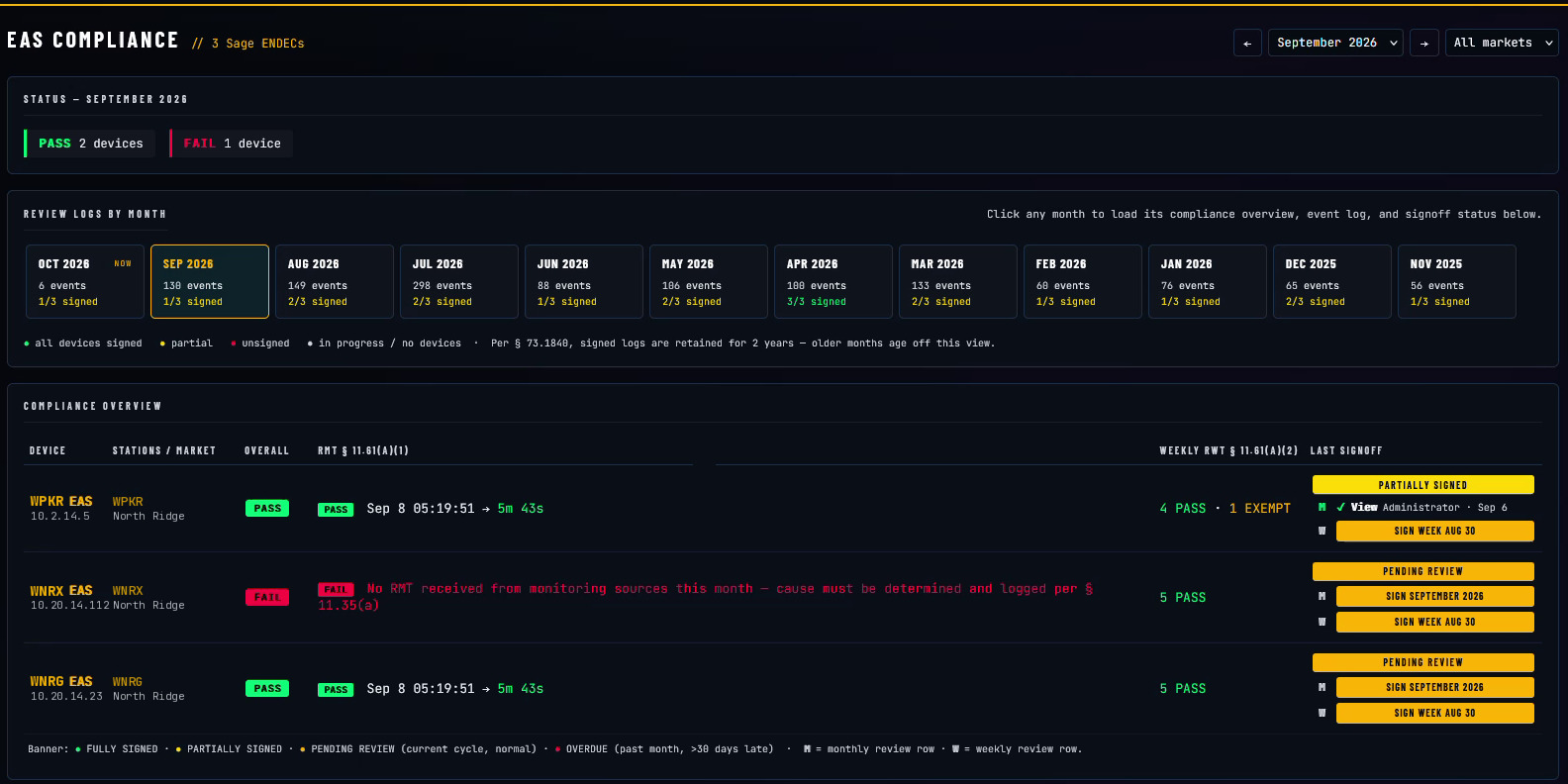
Every EAS box, month by month: pass, fail or pending, when the monthly test came in and how fast it went back out, the weekly tests, and who has signed.
Compliance isn’t the test. It’s the record.
The weekly and monthly tests mostly run themselves. What gets stations fined is the paperwork — a missed RWT nobody caught, an RMT that didn’t relay inside the hour, a Chief Operator review that never got signed, a log you can’t produce when an inspector is standing in the rack room.
BNM treats the signed record as the product. It reads the EAS box’s own event log, evaluates it against the rules for you, and turns the required Chief Operator review into a couple of clicks — so the compliance side of the plant is handled, not hoped for.
Capture, evaluate, sign, hand over.
Four stages — and you only touch the third one. The box logs every test, BNM checks the month against the rules and flags what’s wrong, your Chief Operator signs, and the inspector gets one document.
Illustration: the EAS box logs each test; BNM checks the month against Part 11 and flags a box that never received its monthly test; the Chief Operator signs September with that exception noted; Inspector Mode prints every signed record as one document.
Signed on the screen, kept for two years.
Add a note to any line or to the month, then sign with a mouse, trackpad, touchscreen or stylus. The signature goes into a permanent record — reviewed, or reviewed with exceptions — that prints or emails as a PDF. Sign by the month, or week by week.
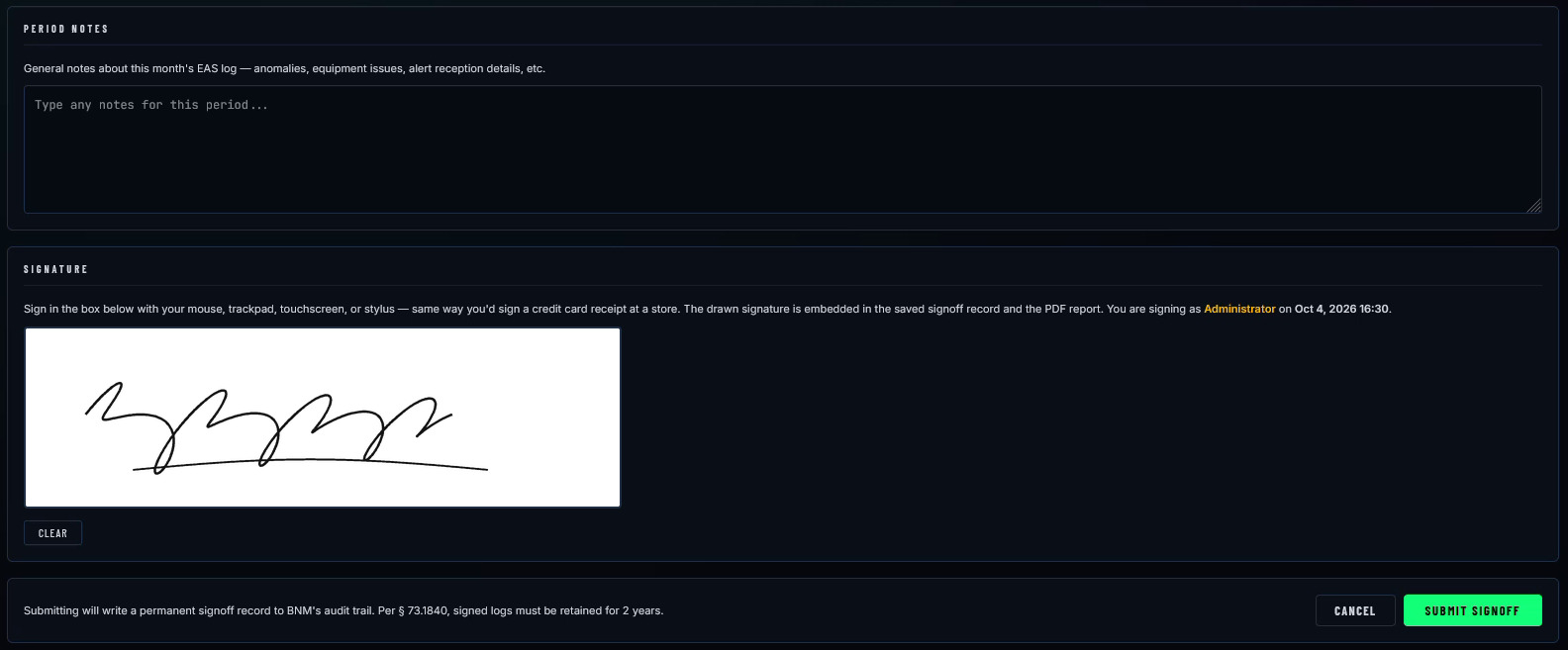
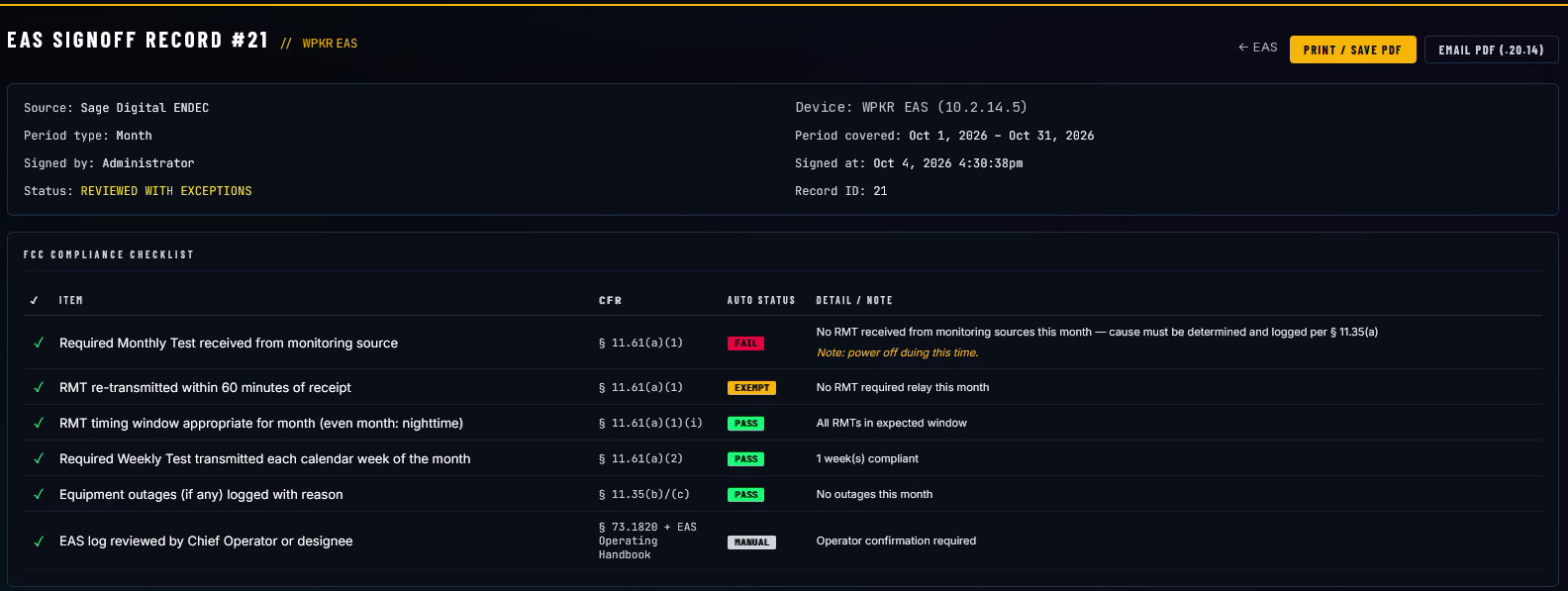
The signed record keeps the checklist, the notes and the signature together, ready to print or email.
Every line checked before anyone signs.
Before the review opens, BNM fills in the FCC checklist from the box’s own log. Every item is marked pass, fail or exempt and tied to its rule, and when something fails it says why — so you know exactly what to fix before anyone signs.
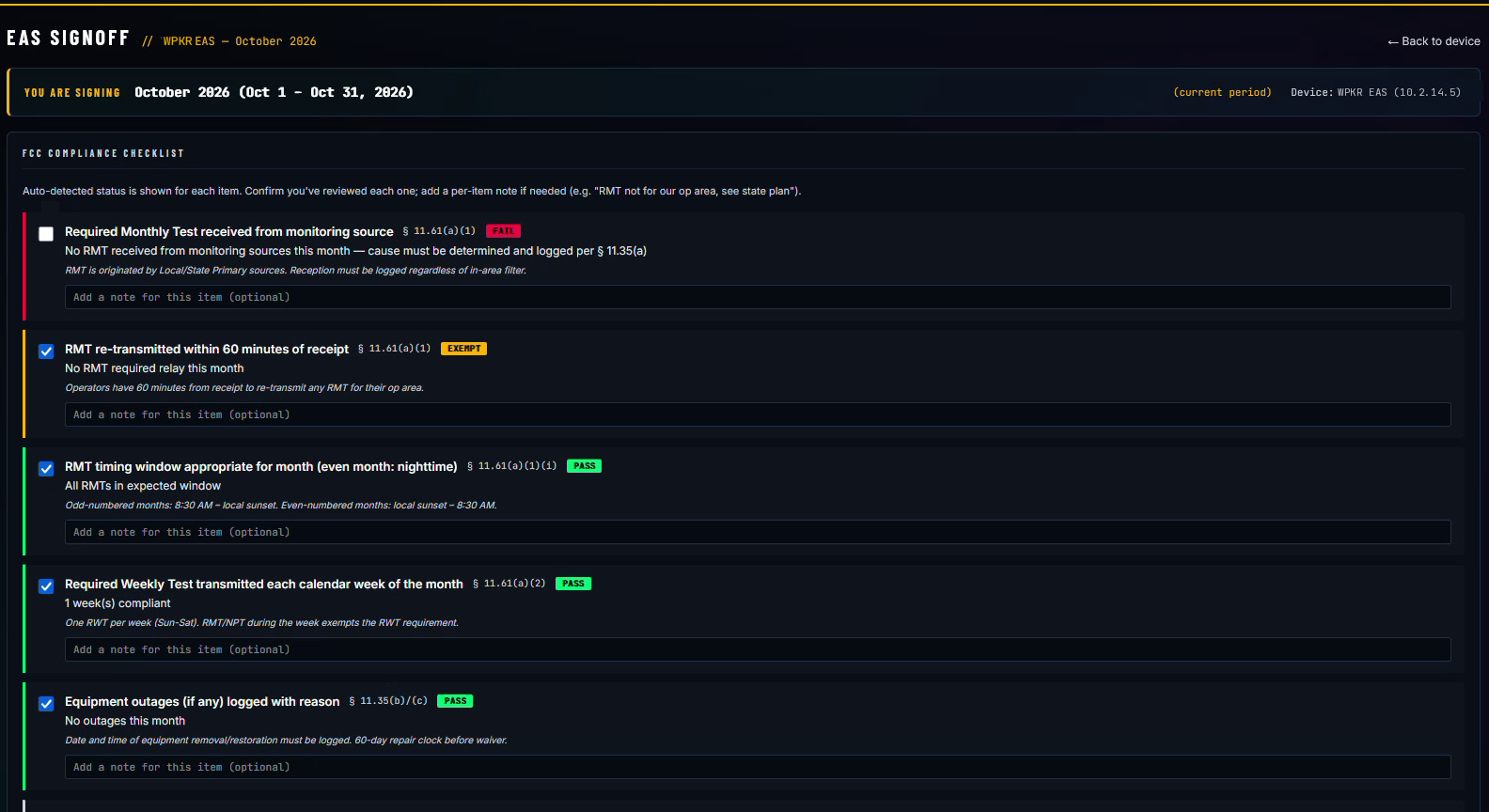
October, filled in by BNM: the monthly test never arrived, so that line fails and says what Part 11 requires next.
- Required Monthly Test received from the monitoring source§ 11.61(a)(1)
- Monthly test relayed within 60 minutes§ 11.61(a)(1)
- Monthly test in the right window for the month§ 11.61(a)(1)(i)
- Required Weekly Test sent every calendar week§ 11.61(a)(2)
- Equipment outages logged with the reason§ 11.35(b)/(c)
- Log reviewed by the Chief Operator or designee§ 73.1820
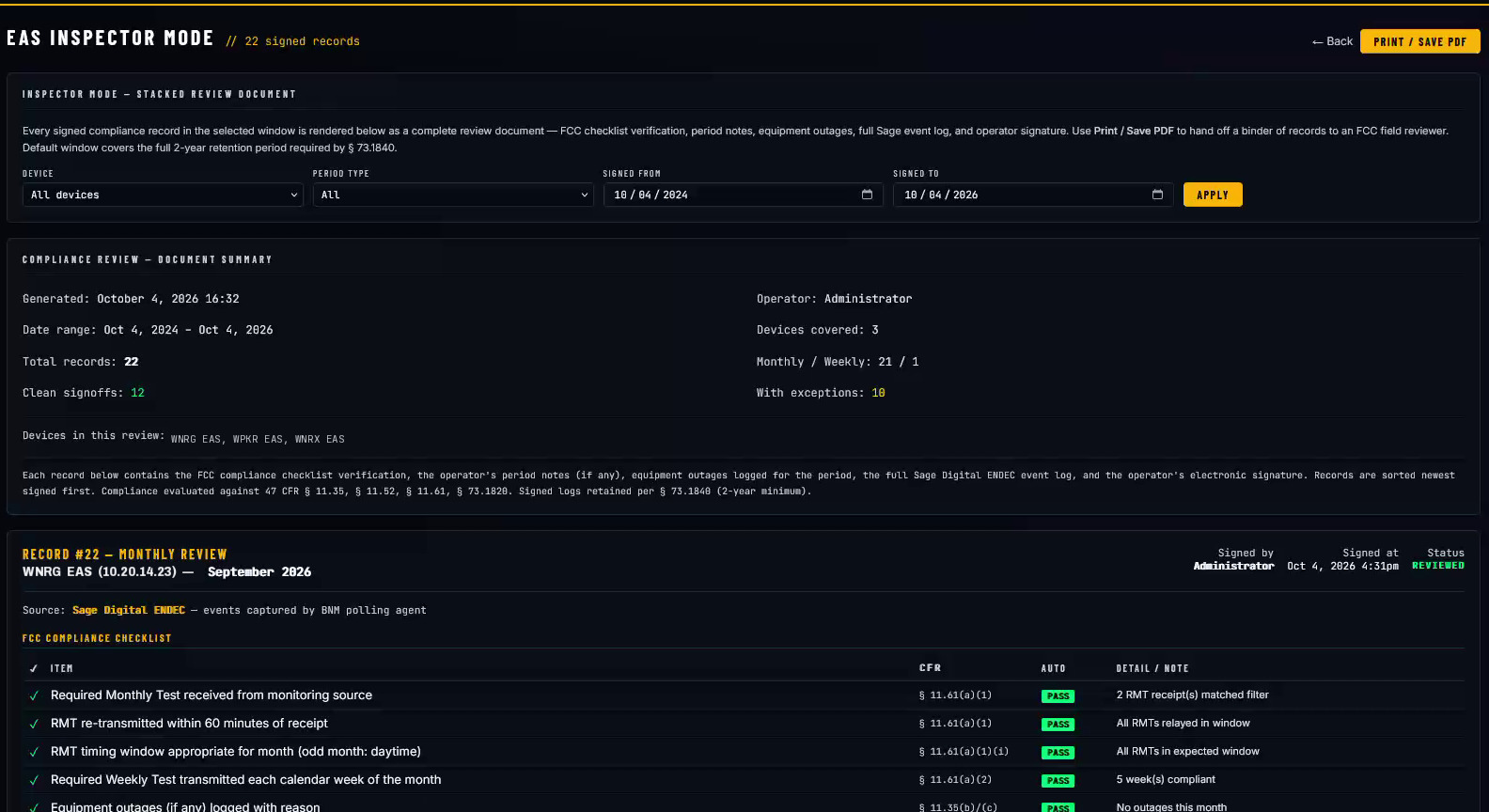
Two years of signed logs, one print away.
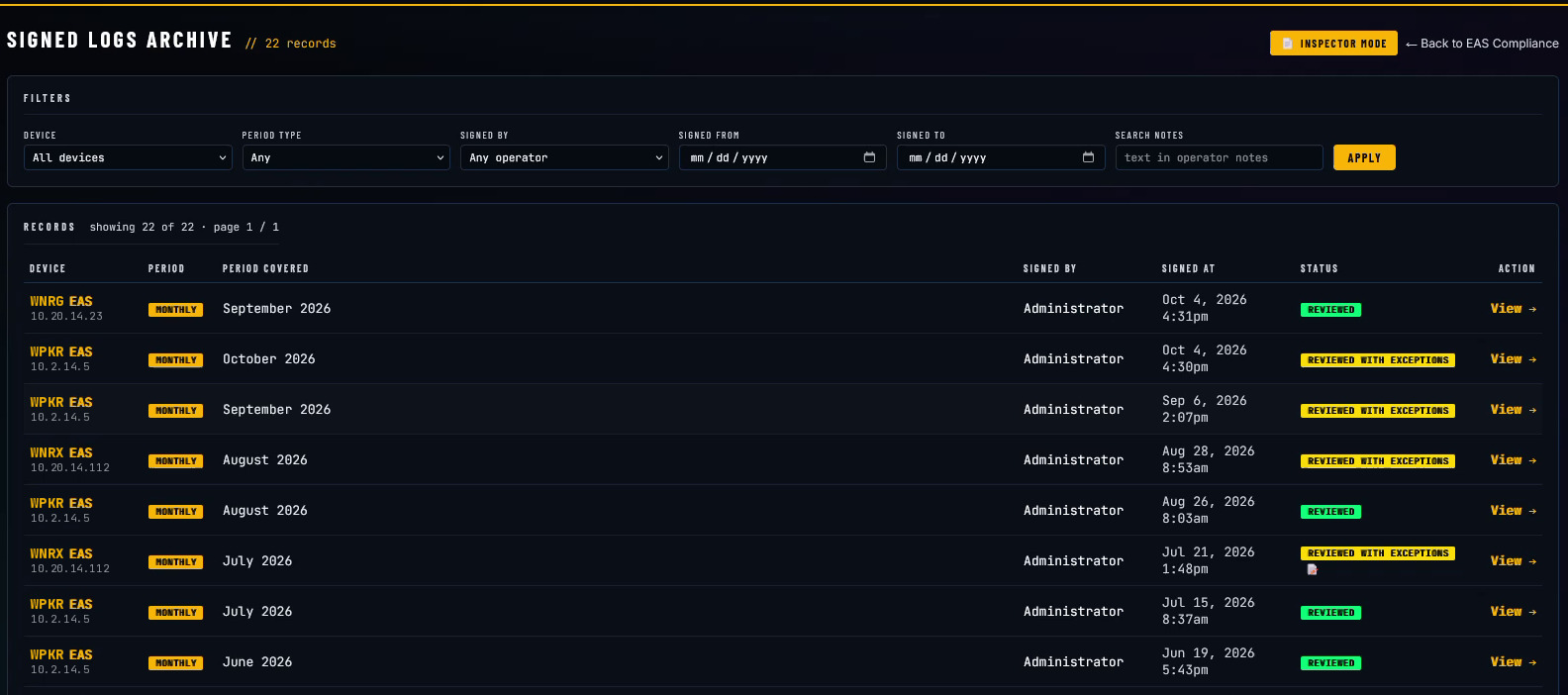
Every signed review lands in the Signed Logs Archive — filter by box, period, who signed or date. Inspector Mode stacks every signed record in the window into one document: the checklist, the notes, outages, the full event log and the signature, printed as a single PDF for the field reviewer. It starts at the two years the rules say to keep.
It hears what your EAS box hears.
BNM reads every monitor input on the box — average and peak level, gain, and the level going back out. It flags an input that’s clipping, and it alerts you when an input you depend on goes dead, before a missed test tells you.
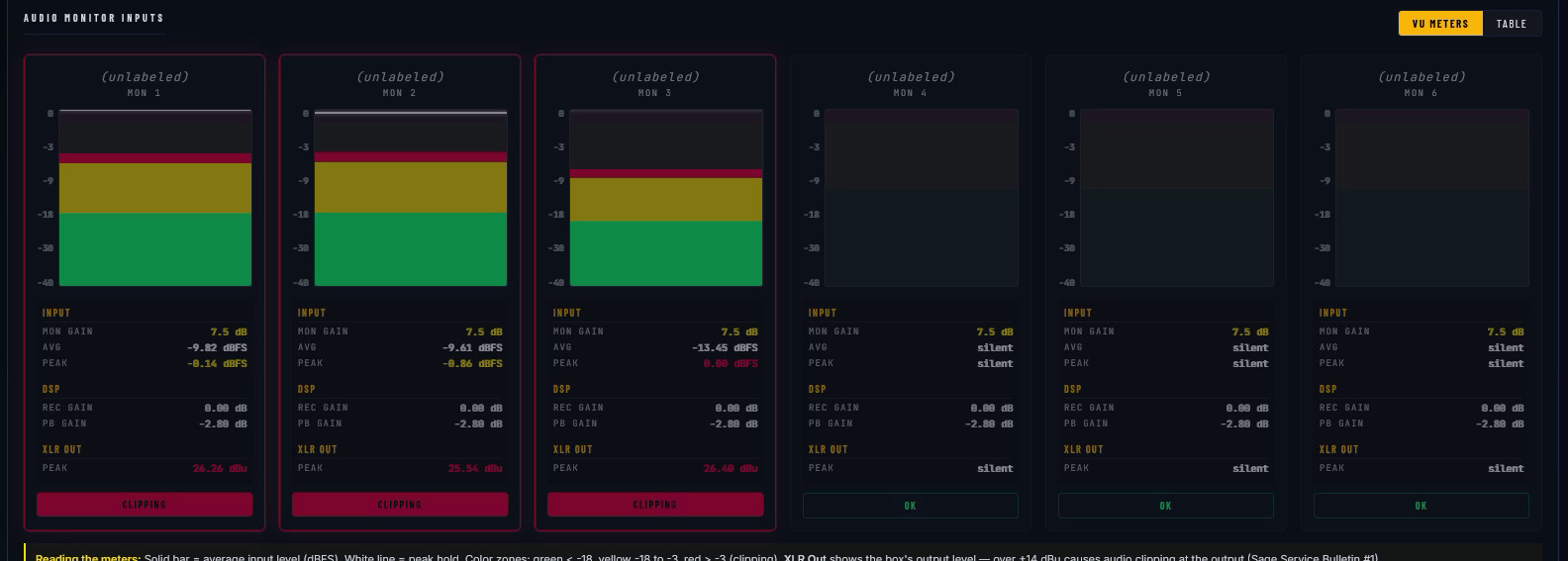
Three inputs running hot enough to clip the box’s output, flagged right on the meters.
And the box behind all of it.
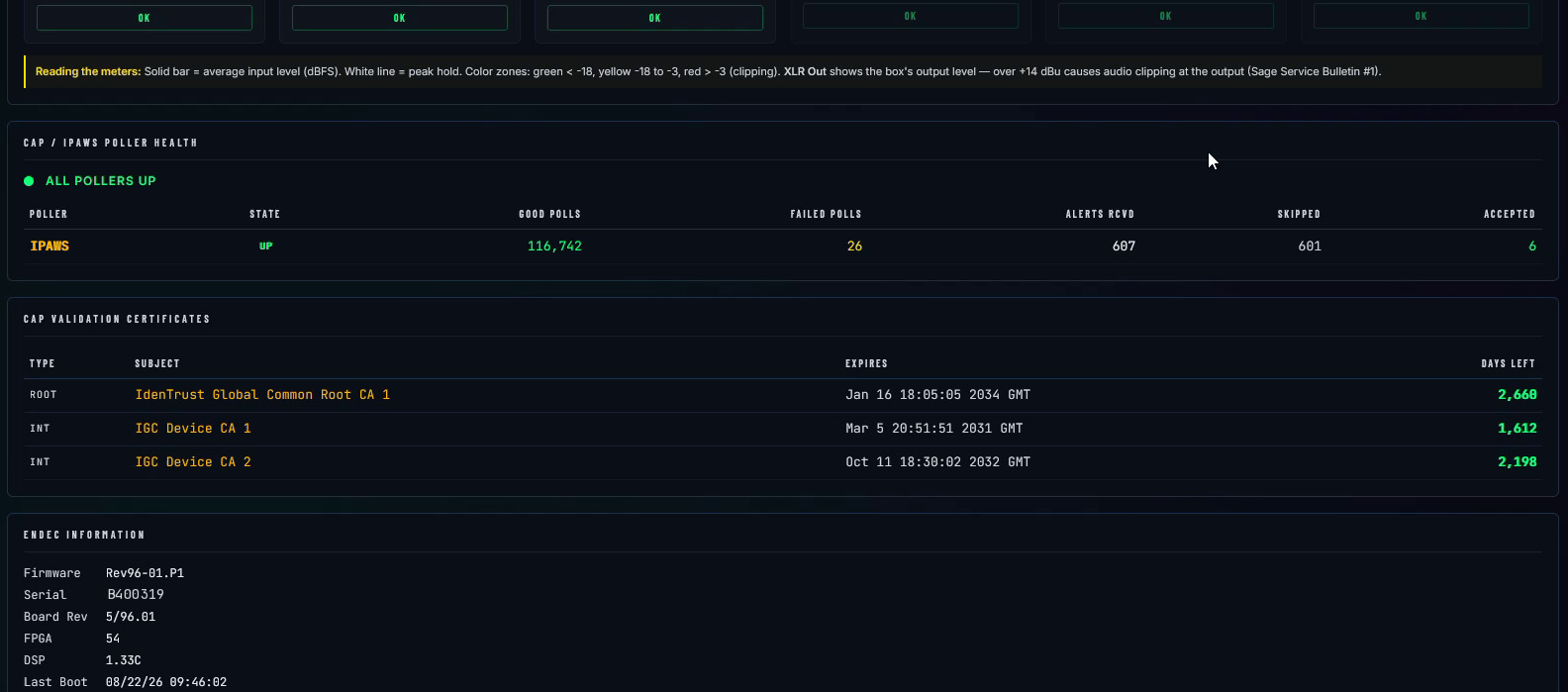
CAP/IPAWS poller health, how many days are left on each validation certificate, firmware and last boot, and whether every poll answered — on the same page as the box’s weekly tests, each one signable right there.
The tower-lighting record, kept the same way.
BNM keeps a printable owner record per tower under 47 CFR 17.49 — lighting style (L-810/L-864 red, L-865/L-856 white, dual or ADLS), your monitoring method (24-hour observation, automatic alarm, or certified self-diagnostic per 17.47), every light event, and the quarterly inspection date with the next one due.
A light failure alarms and dials out like any other fault, and the event lands in the same record you hand an inspector. The lighting spec is pulled straight from the FCC ASR by registration number, and the record lives on the tower's own page under site documentation, next to the to-scale drawing of what's on it.
FCC contours, mapped from the source.
- ✓AM & FM contours from live FCC data, per station
- ✓Day and night patterns drawn separately
- ✓AM 2.0 & 0.5 mV/m contours mapped
- ✓Pulled straight from the FCC, not hand-drawn
Be ready before the inspector is.
We’ll point a demo at your EAS box, pull in a few weeks of its log, build the Chief Operator checklist, and print Inspector Mode to PDF with your own records in it.