Your streams, watched like a transmitter.
Online listeners hear the stream, not the transmitter. BNM watches every stream and the servers behind it, and treats a dead stream like a station off the air.
- Every stream. Up or down, on your own streaming server or a hosted provider.
- The servers behind it. The servers and storage behind the studio.
- The same alarms. A dead stream calls the same list as a transmitter fault.
Illustration: the hosted stream stops answering and BNM calls the on-call list until someone acknowledges, and the stream comes back up.
Hear about a dead stream before a listener does.
Tell us where your streams live. We’ll point a demo at them and wire a test call to your phone.
BNM tunes in to your stream the way a listener does.
Every poll, it opens the stream just as a player would, takes a few seconds of audio and measures it. What it finds lands on one device page, and every number keeps its history.
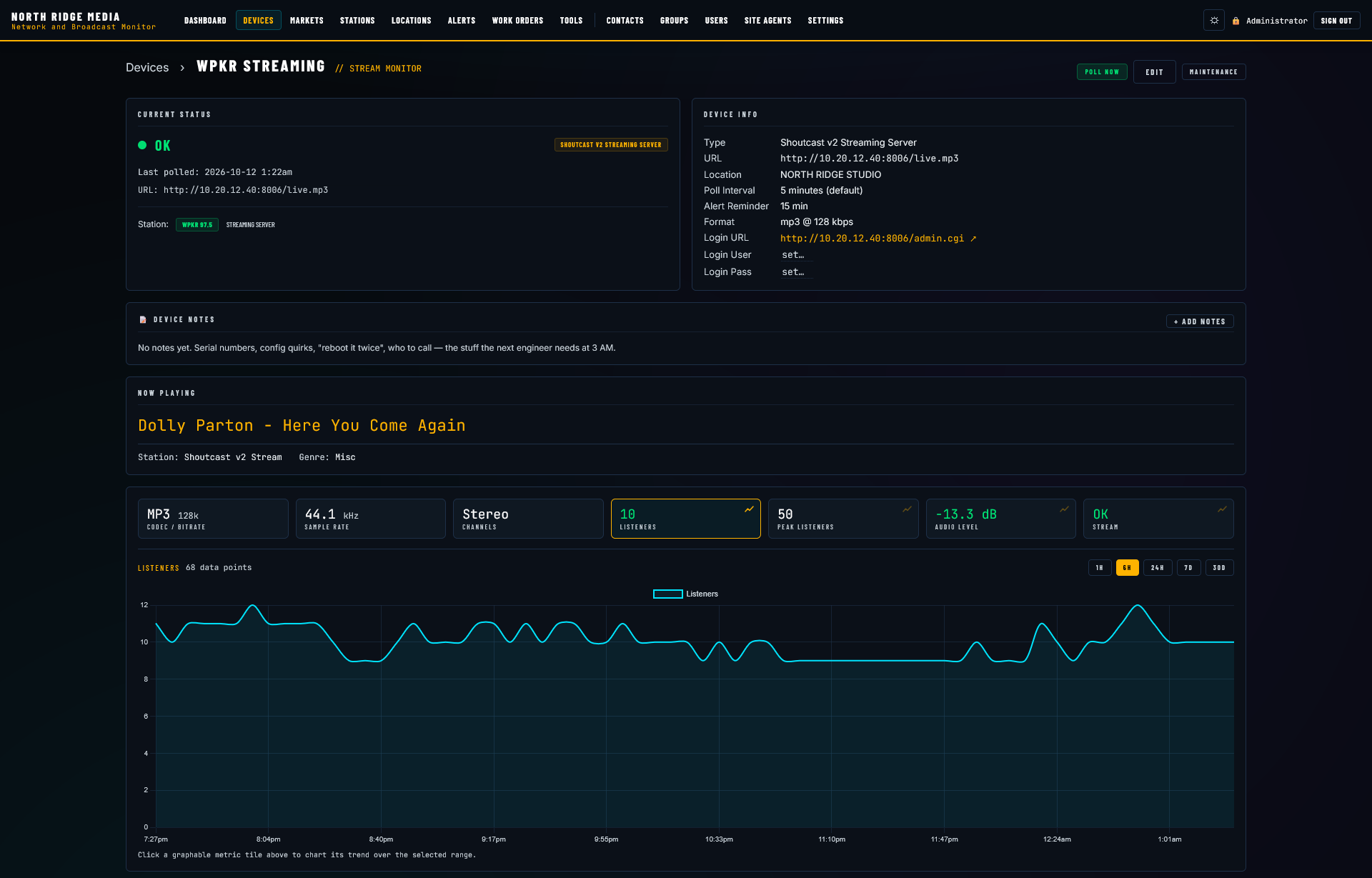
- Audio level, left and rightMeasured from the decoded audio itself, not guessed from the connection.
- Codec and bitrateWhat the stream is really delivering, such as MP3 at 128k.
- Sample rate and channels44.1 kHz stereo, or whatever it actually sends.
- Title and artistThe now-playing data your stream carries, read on every poll.
- ListenersThe count and the peak wherever the server reports them, charted from one hour to 30 days.
Checked from your building, not a far-off data center.
Many hosted streams only play inside the area they serve. A monitor sitting in a data center a few states away gets turned away by the very stream your listeners are enjoying, and reports a healthy station as down.
BNM sends the check through the site agent already running at your station, over your own internet connection. It hears exactly what a listener in your market hears.
- No false alarms from a regional block. The check comes from a real listener’s position.
- Nothing to open. The agent already sits inside your network.
- Honest when it can’t check. Until the agent is ready to measure audio, the device says so plainly. It never calls a stream down that it didn’t actually hear.
Animation: a check sent from a central server in another state is turned away at the stream’s regional block, and a healthy station is reported down. The same check sent from the site agent at the station reaches the stream, audio comes back, and the stream reads OK.
A stream can be up and still be silent.
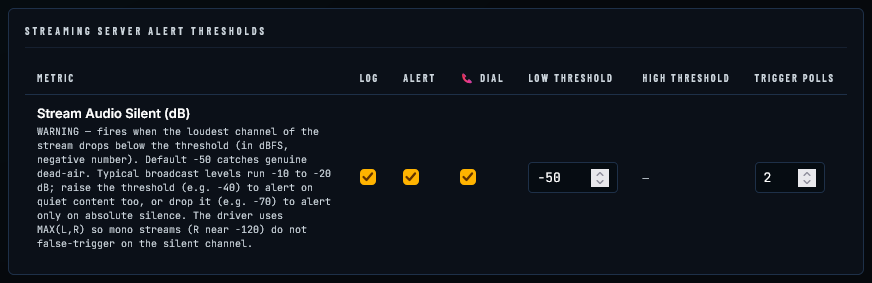
A streaming server will happily keep sending a stream with nothing in it: an encoder that lost its feed, a muted bus, automation that stopped. BNM decodes the audio on every poll and measures it. When the loudest channel stays under your threshold for the number of polls you choose, the alarm goes out, and it can call your phone.
- Judged on the loudest channel, so a mono feed riding one side doesn’t page you every poll.
- −50 dB out of the box. Raise it to catch quiet content, or lower it to alert only on dead silence.
- Log it, alert on it, or have BNM dial your phone, set per stream.
- Can’t open the stream at all? That’s its own alert, confirmed over the number of failed polls you set.
- Every event is kept: when it fired, how low the audio went and how long it lasted. A recovery email goes out when the stream comes back.

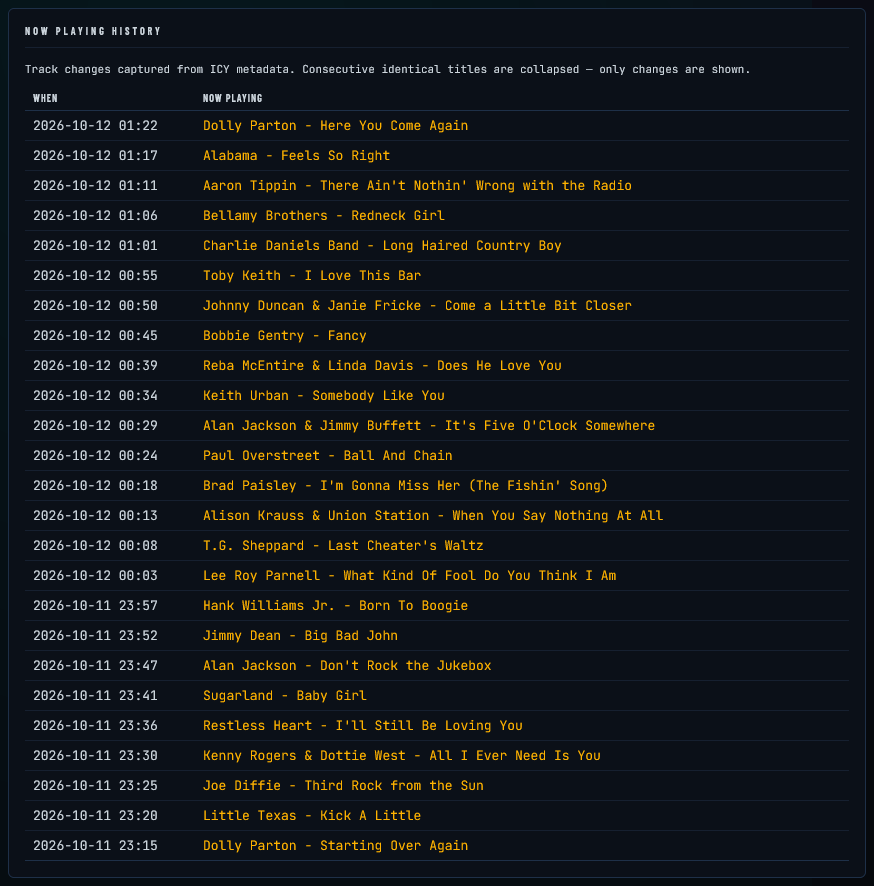
Title and artist, read straight off the stream.
If your stream carries now-playing data, BNM reads it on every poll: the title and artist, plus the station name and genre the stream reports. It shows live on the device page, right next to the audio level.
Every change is logged with the time it happened, and repeats are folded together, so the history is a clean running record of what your stream said was playing.
- Answer “what was playing at 12:13?” in seconds.
- See at a glance when the titles stopped changing.
Shoutcast, Icecast or HLS. Paste the address.
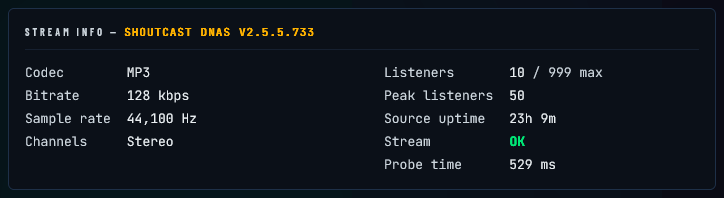
Give BNM the stream’s full address and it opens it the way your listeners’ players do. It recognizes Shoutcast and Icecast addresses on its own, and reads what the server reports about itself: listeners against the server’s limit, the peak, how long the source has been connected, the server’s version, and how long the check took.
- ShoutcastThe usual /stream, /stream/2 and ;stream=1 style addresses.
- IcecastYour own server or a hosted one, by mount point.
- HLSThe playlist address your players already use.
- Hosted server carrying many stations? Give the exact mount, and BNM reads only yours.
- One device per mount. Your AAC and MP3 streams come from separate encoders and fail separately. Watch each one you’d want a phone call about.